How Pinterest and Email Marketing Work Together
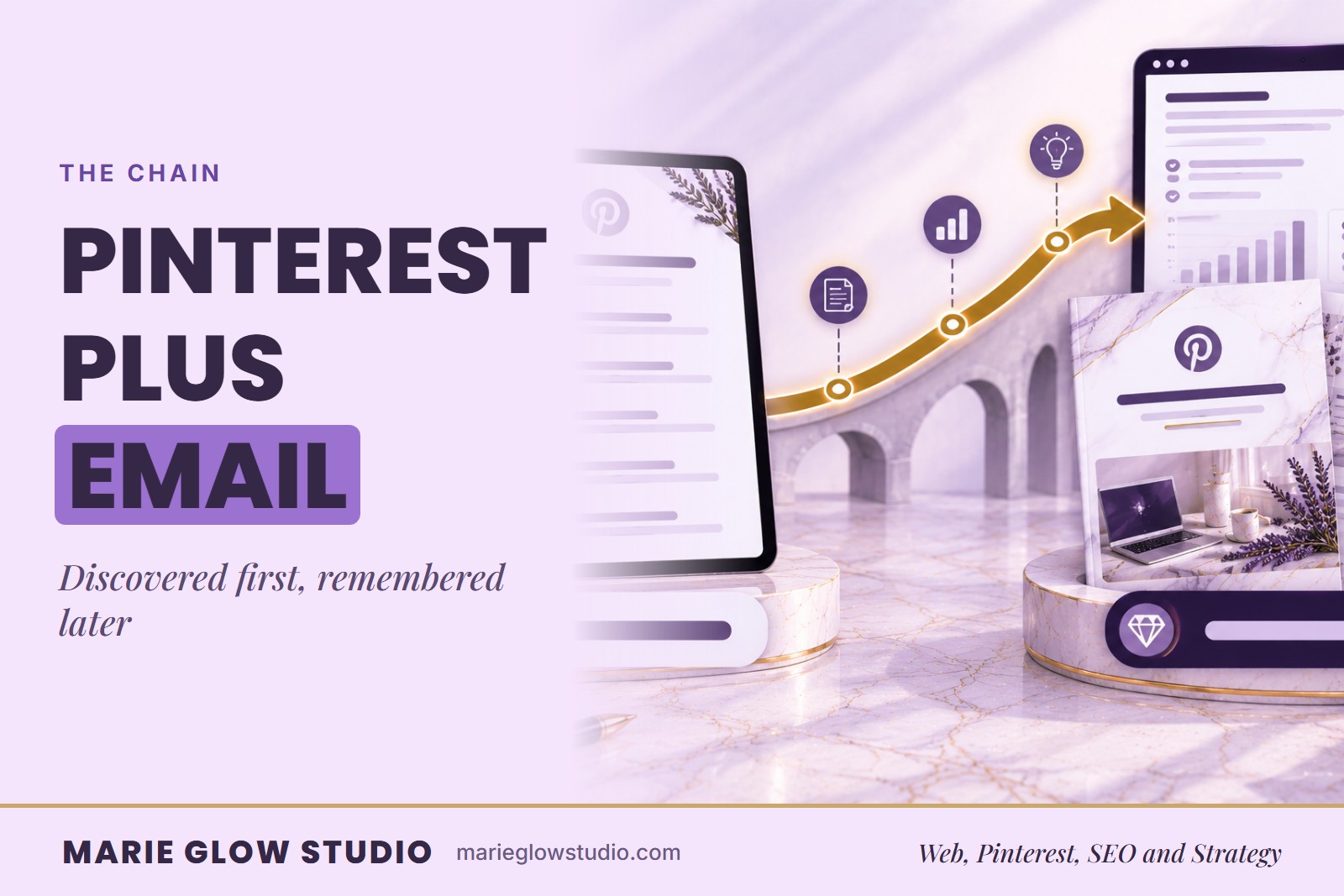
Pinterest gets you discovered by someone who's never heard of you. Email is what turns that stranger into someone who actually remembers your name. Most small businesses only ever build half of that chain. Together they form one path: a search leads to helpful content, a matching lead magnet earns the signup, and emails continue the conversation.
How do Pinterest and email marketing work together?
Pinterest and email marketing work together by moving people through a simple customer journey:
- Pinterest search
- Helpful content
- Email signup
- Welcome sequence
- Ongoing relationship
Pinterest creates discovery. A relevant lead magnet encourages the visitor to join your list. Email then delivers the promised resource, builds trust, and guides the subscriber toward another useful action.
The goal is not to force every Pinterest visitor to buy immediately. It is to offer a natural next step that allows interested people to stay connected.
Why do Pinterest and email marketing work well together?
Pinterest and email marketing solve two different marketing challenges. Pinterest helps your business get discovered by people who may have never heard of you. Email gives you a way to communicate with those people again after their first visit.
Unlike a traditional social-media feed, Pinterest is frequently used to search for ideas, products, services, tutorials, resources, and solutions. For more on this behavior, see our guide to how Pinterest works as a search engine for small businesses.
A person might discover one of your Pinterest pins while searching for:
- A business checklist
- A product recommendation
- A tutorial
- A printable
- A gift guide
- A service
- A planning template
- An answer to a specific question
After clicking the pin, the visitor may not be ready to purchase immediately. An email signup gives them another way to continue learning from your business.
Step 1: How does Pinterest create discovery?
Pinterest can introduce your business to people who are actively searching for topics related to your products, services, or content. A search-focused Pinterest pin can lead someone to:
- A blog article
- A product page
- A service page
- A collection
- A free resource
- A quiz
- A workshop
- A landing page
Pinterest discovery works best when the pin targets a specific search phrase and the linked page clearly delivers what the pin promises.
For example, a pin titled Pinterest SEO Checklist for Small Businesses should lead to a useful Pinterest SEO resource, not a general homepage. If you need help choosing the correct search phrases, read How to Do Pinterest Keyword Research.
Step 2: What lead magnet matches the search?
A lead magnet is a free resource offered in exchange for someone's email address. It creates a bridge between a Pinterest click and your email list, and the strongest ones solve a small, specific problem related to what the Pinterest visitor was already searching for.
Examples include:
- Checklists
- Templates
- Mini guides
- Planners
- Worksheets
- Quizzes
- Resource lists
- Discount codes
- Free printables
- Early-access offers
For more formats built around physical products, see Lead Magnet Ideas for Product-Based Businesses.
The resource should feel like a natural continuation of the pin and landing page. For example:
- Pinterest search: How to optimize a Pinterest profile
- Blog article: Pinterest Profile SEO: What to Optimize
- Lead magnet: Pinterest Profile Optimization Checklist
The visitor should not feel as though the topic suddenly changed after clicking.
Step 3: Where should the pin send visitors?
Pinterest pins can link to a dedicated signup page or to a useful article containing an email form. A focused landing page should clearly explain:
- What the visitor will receive
- Who the resource is for
- What problem it helps solve
- How it will be delivered
- What happens after signup
Avoid sending every lead-magnet pin to your general homepage. The visitor should not have to search your website to find the resource that was promised.
The pin, landing page, signup form, and delivery email should all focus on the same topic. This creates a smoother customer journey and makes the next step easier to understand.
Step 4: What should the first email deliver?
After someone joins your email list, send the promised checklist, guide, coupon, or download as soon as possible. This first email should:
- Confirm the signup
- Deliver the resource
- Thank the subscriber
- Introduce your business briefly
- Explain what kind of emails they can expect
- Provide one clear next step
The first email is important because it fulfills the promise made on Pinterest. Do not make subscribers search through a long email to locate the resource. Place the download button or access link where it is easy to find.
Step 5: How does a welcome sequence build trust?
One delivery email is helpful, but a short welcome sequence gives you more time to establish the relationship. A simple sequence may contain three to five emails, depending on the resource, audience, offer, and complexity of the customer journey, so the four below are a starting point. For fuller examples, see Welcome Email Sequence Examples for Small Businesses.
Email 1: Deliver the resource
Send the freebie or confirmation immediately and introduce your business.
Email 2: Answer a related question
Address a common concern or explain one important concept related to the resource.
Email 3: Share a helpful example
Provide a case study, tutorial, product example, or behind-the-scenes explanation.
Email 4: Introduce the next step
Invite the subscriber to explore a related product, service, article, or offer.
Each email should continue the same conversation that began with the Pinterest pin. A person who downloaded a Pinterest checklist should not immediately receive an unrelated product promotion. The emails should build naturally from the subscriber's original interest. What happens right after the signup is covered in What Happens After Someone Joins Your Email List?.
Step 6: How does email send people back to your content?
Pinterest can send visitors to your email list, but email can also send subscribers back to your website. Your newsletters can highlight:
- Evergreen blog posts
- New tutorials
- Seasonal collections
- Product launches
- Service pages
- Free resources
- Updated guides
- Customer stories
This creates a useful content cycle. An article may first attract a visitor through Pinterest. Later, the same article can be shared with email subscribers, updated with new information, and promoted again using new Pinterest designs.
Pinterest content can continue driving traffic beyond the day it is published. Read How Pinterest Drives Long-Term Website Traffic for a deeper explanation.
Step 7: Can email questions become Pinterest content?
Yes. Your subscribers can help you understand what your audience actually wants to learn. Pay attention to:
- Email replies
- Frequently clicked links
- Questions sent through your contact form
- Common customer concerns
- Popular newsletter topics
- Frequently requested resources
- Product or service objections
These insights can become new blog posts, Pinterest pins, frequently asked questions, lead magnets, product guides, service content, or email campaigns.
For example, if several subscribers ask where Pinterest keywords should be placed, that question can inspire a dedicated article and several new pins. You could then direct readers to Where to Use Keywords on Pinterest. This allows your Pinterest and email strategies to improve each other instead of operating separately.
Step 8: Why should the message stay consistent?
The complete journey should feel connected. The following elements should focus on the same subject:
- Pinterest pin
- Pin title
- Pin description
- Landing page
- Signup form
- Lead magnet
- Delivery email
- Welcome sequence
- Product or service offer
A disconnected journey creates confusion. For example, imagine that a visitor clicks a pin promising a Pinterest Content Calendar Template, but the landing page promotes general business coaching. Even if the offer is useful, it does not match the visitor's original intent.
Consistency helps the person understand that they reached the correct page and received the resource they expected. Matching the pin description to the page is covered in How to Write Pinterest Descriptions That Get Found.
Step 9: How do you track the full Pinterest to email journey?
Do not measure success using Pinterest impressions alone. Impressions tell you that content appeared on Pinterest, but they do not show whether the content moved someone toward a meaningful business action. Track metrics across the complete journey.
Pinterest metrics
- Impressions
- Saves
- Pin clicks
- Outbound clicks
- Top-performing pins
- Top-performing boards
Website metrics
- Landing-page visits
- Time on page
- Email signup rate
- Lead-magnet conversions
- Most visited articles
- Traffic sources
Email metrics
- Delivery rate
- Open rate
- Click rate
- Replies
- Unsubscribes
- Product or service conversions
Tracking the entire path helps you identify where people lose interest. For example:
- High Pinterest impressions but few clicks may indicate a weak headline or design.
- Strong outbound clicks but few signups may indicate a weak landing page.
- Strong signup numbers but low email engagement may indicate that the welcome sequence does not match the promised resource.
What does a complete Pinterest to email path look like?
Here is what a complete Pinterest-to-email path might look like for a Shopify business. Every stage supports the same goal and speaks to the same problem.
- Pinterest pin: the headline reads Shopify Product Page Checklist.
- Destination page: a blog article explaining how to improve product titles, descriptions, images, trust elements, and calls to action.
- Lead magnet: a printable Shopify product-page checklist.
- Delivery email: the checklist is delivered immediately with a brief introduction.
- Welcome email: the next email explains three common Shopify product-page mistakes.
- Follow-up offer: the subscriber is invited to explore a Shopify web design or store-optimization service.
Which Pinterest and email mistakes should you avoid?
Most problems come from a journey that stops matching itself somewhere along the way:
- Promoting an unrelated lead magnet. The resource should match the Pinterest topic closely.
- Sending Pinterest traffic to a general homepage. Use a focused article, service page, product page, or landing page.
- Delaying the delivery email. Subscribers should receive the promised resource promptly.
- Adding subscribers without clear expectations. Tell people what they are joining and what emails they can expect.
- Sending an immediate hard sales pitch. Deliver value and establish context before making a strong offer.
- Ignoring mobile design. Pinterest visitors are often using mobile devices, so test the landing page, signup form, and email on a phone.
- Failing to test the complete journey. Submit your own form and confirm that every page, link, automation, and download works correctly.
- Measuring only impressions. Track outbound clicks, signups, email engagement, and meaningful customer actions.
What can you use to run this path?
The Flodesk link below is a referral link. I may earn a commission if you purchase through one of these links, at no additional cost to you.
If you need a platform for signup forms, lead magnet delivery, and welcome automations, you can explore Flodesk. Choose an email platform that fits your budget, workflow, audience, and automation needs, and always test the complete subscriber experience before promoting the signup form.
What are the key takeaways?
- Pinterest introduces new people to your content through visual search.
- A relevant lead magnet moves Pinterest visitors onto your email list.
- The first email should immediately deliver what was promised.
- A welcome sequence can build trust and introduce the next step.
- Email newsletters can send subscribers back to useful website content.
- Subscriber questions can inspire future Pinterest content.
- The pin, landing page, email, and offer should all focus on the same topic.
- Track the complete journey instead of measuring Pinterest impressions alone.
Where can you go from here?
Pinterest works best when it is connected to a useful website, clear content, and an intentional customer journey. Read How to Create a Pinterest Content Calendar to organize your publishing strategy, or see what Pinterest management services include if you would rather hand the ongoing work to someone else.
If your pins already get views but few visitors reach your signup page, the Pinterest SEO Audit examines every part of your account, from keywords and boards to individual pins, and returns a prioritized plan for the next 30 days.
Frequently asked questions
Should Pinterest pins link directly to a signup form?
A pin can link to a focused landing page containing a signup form. The landing page should explain what the visitor will receive, why it is useful, and what happens after they subscribe.
Do I need a large website to use this strategy?
No. You need a clear landing page, a working signup form, a useful resource, an email platform, a tested delivery automation, and relevant Pinterest content. A smaller website with a clear customer journey can work better than a large website with confusing navigation.
How often should I promote a lead magnet on Pinterest?
You can create several fresh pins for the same lead magnet using different headlines, visual layouts, and content angles. Keep each pin relevant to the same destination and avoid making promises the resource does not fulfill.
Can product-based businesses use Pinterest and email together?
Yes. Product-based businesses can use Pinterest to promote gift guides, product education, collections, seasonal ideas, checklists, and useful resources. Email can then support launches, product recommendations, restocks, seasonal promotions, and customer retention.
Keep reading
Welcome Email Sequence Examples for Small Businesses
A welcome sequence is a short set of emails that deliver what you promised. See four examples you can adapt, with the purpose of each email and when to send the first.
Lead Magnet Ideas for Product-Based Businesses
A discount code is the easy lead magnet, not always the best one. See eight ideas that fit a product business and a simple order for choosing between them.
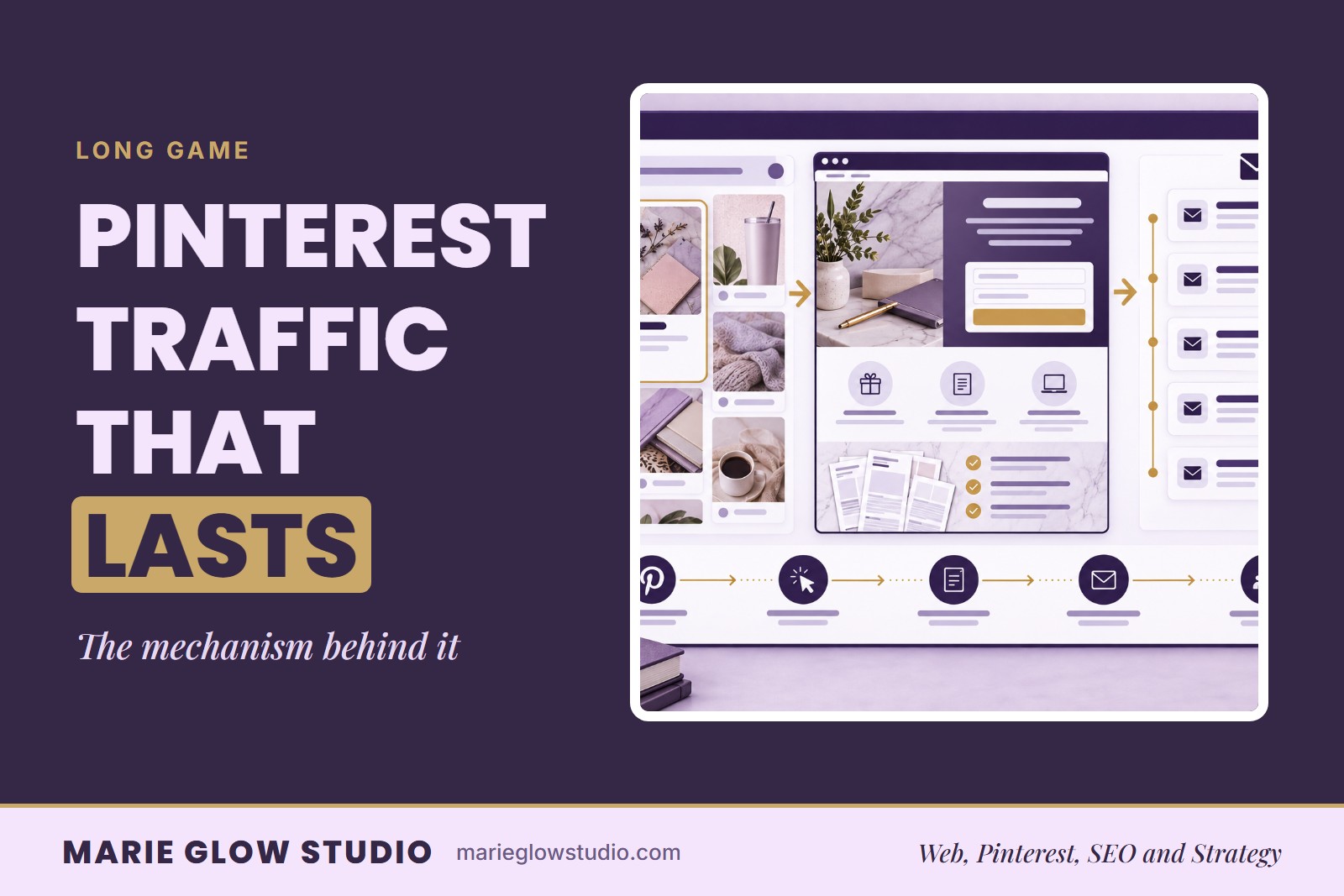
How Pinterest Drives Long-Term Website Traffic
A Pin you publish today can still send visitors next year. This guide explains the mechanism behind lasting Pinterest traffic and how to build for it.